Running one influencer campaign is manageable with a spreadsheet and some discipline. Running 5, 10, or 50 campaigns simultaneously across TikTok, Instagram, and YouTube? That's when things fall apart fast.
You're juggling dozens of creators, hundreds of posts, and thousands of data points scattered across platforms. Your stakeholders keep asking "what's working?" while your tracking lives in 12 browser tabs, 3 Google Sheets, and a Slack thread you can't find anymore. One broken link, one missed disclosure, one creator who ghosts you, and suddenly you're explaining why campaign performance looks terrible when you're not even sure what actually happened.
This isn't a template problem. It's a systems problem.
Influencer marketing has grown into a $32+ billion industry, and brands are running more concurrent campaigns than ever before. But most teams are still tracking like it's 2018, copying metrics into spreadsheets and hoping nothing breaks. The result? You can't answer basic questions about which campaigns drive sales, which influencers are worth rebooking, or whether that $10,000 investment actually returned anything.
Here's how to build an influencer tracking system that actually scales.
Why Spreadsheets Fail for Multiple Campaign Tracking
When you're running multiple influencer campaigns at once, complexity doesn't add up. It multiplies.
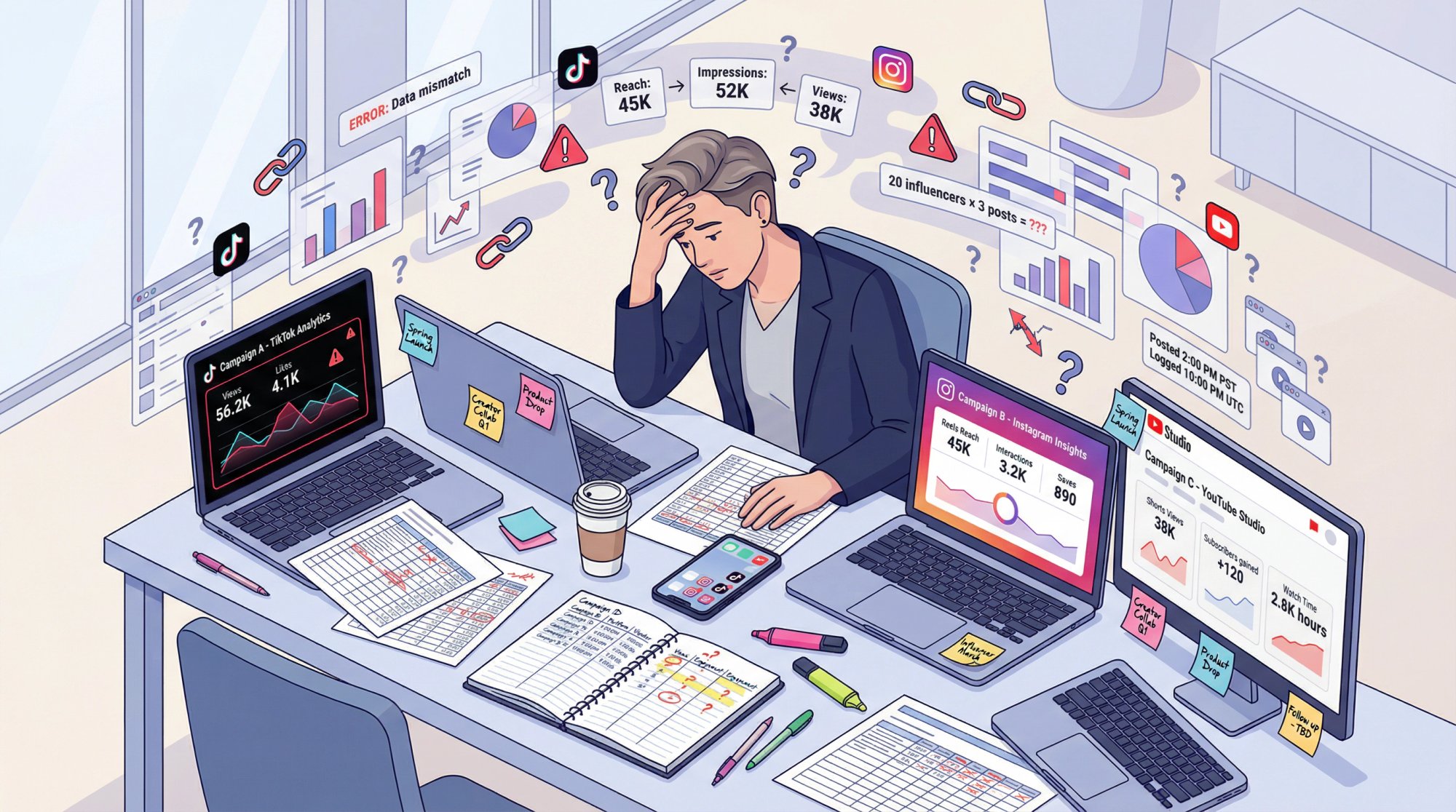
Data lives in silos. Instagram has its own analytics dashboard. TikTok tracks different metrics. YouTube measures everything in watch time. There's no unified reporting across platforms by default, so getting a complete picture means logging into five different tools and manually combining data that doesn't match.
Metrics don't line up. What Instagram calls "reach" isn't the same as what YouTube calls "impressions." Engagement rates are calculated differently on each platform. When you're trying to compare Campaign A on TikTok with Campaign B on Instagram, you're comparing apples to oranges without realizing it.
Manual tracking creates errors. Copying and pasting data between platforms is slow and mistake-prone. A single typo in a UTM parameter, a forgotten tracking link, or a missed post can completely skew your results. Multiply that across 20 influencers posting 3 times each, and the error rate becomes unacceptable.
Too many moving parts. Each campaign involves multiple influencers, deliverables, timelines, approvals, and payments. Keeping track of who posted what, whether they met content requirements, and how each piece performed is an organizational nightmare. Things slip through the cracks constantly.
Insights arrive too late. If you're waiting for influencers to send screenshots of their stats or compiling weekly reports manually, you'll miss the window to optimize. By the time you realize Campaign A is underperforming, the campaign is already over.
The traditional approach (spreadsheets plus platform-hopping plus manual updates) works fine for one or two small campaigns. But when you're managing multiple concurrent campaigns at scale, you need an actual system powered by influencer tracking software.
The 4-Layer Tracking System That Scales
Stop thinking about influencer tracking as one big blob of metrics. Break it into four distinct layers, each with its own purpose and tools.
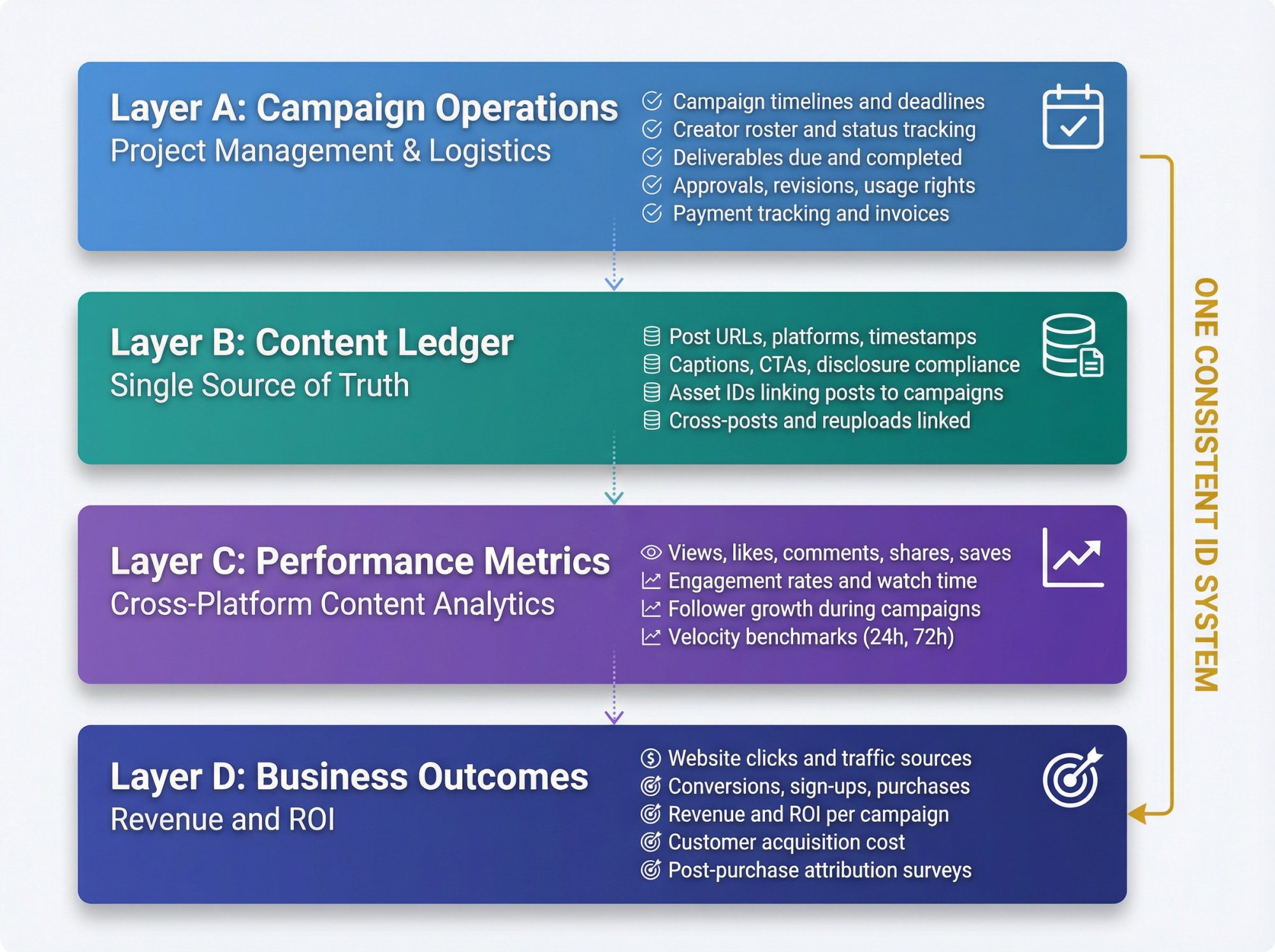
Layer A: Campaign Operations and Project Management
This layer tracks the logistics of running campaigns:
• Campaign timelines and deadlines
• Creator roster and current status (briefed, filming, posted, needs revision)
• Deliverables due and completed
• Approvals, revisions, usage rights
• Payment tracking and invoices
Think of this as your campaign checklist. It answers questions like "Did this influencer post yet?" and "Have we paid everyone?"
Layer B: Content Ledger (Your Single Source of Truth)
This is your canonical record of every piece of content created:
• Post URLs, platforms, publish timestamps
• Captions, CTAs, disclosure compliance
• Asset IDs that connect posts to campaigns
• Cross-posts and reuploads linked together
The content ledger doesn't track performance. It just tracks what exists so you have a complete inventory.
Layer C: Cross-Platform Performance Metrics
This layer captures how content performs on each platform:
• Views, likes, comments, shares, saves
• Engagement rates and watch time
• Follower growth during campaigns
• Velocity benchmarks (24-hour, 72-hour performance)
This is where most people start their tracking. But without layers A and B, performance data doesn't connect to your actual campaigns. Cross-platform analysis tools help connect these dots.
Layer D: Business Outcomes (Revenue and ROI)
This is what actually matters to your business:
• Website clicks and traffic sources
• Conversions, sign-ups, purchases
• Revenue and ROI per campaign
• Customer acquisition cost
• Post-purchase attribution (surveys showing how customers found you)
Critical insight: Most teams track either Layer C or Layer D, but not both. You need both to understand the full picture. A campaign with huge views (Layer C) but zero conversions (Layer D) tells a very different story than modest views with high conversion rates.
The key principle: You don't need one tool to do everything. You need one consistent ID system that connects all four layers together.
How To Create Campaign IDs That Prevent Data Chaos
When you're tracking multiple campaigns, ambiguity kills you.
If your team uses "Spring Launch" in one place, "springlaunch" in another, "Launch_Spring" in your analytics, and "Influencer Launch March" in your spreadsheet, you will not be able to report cleanly. You'll misattribute conversions, double-count posts, and waste hours reconciling data.
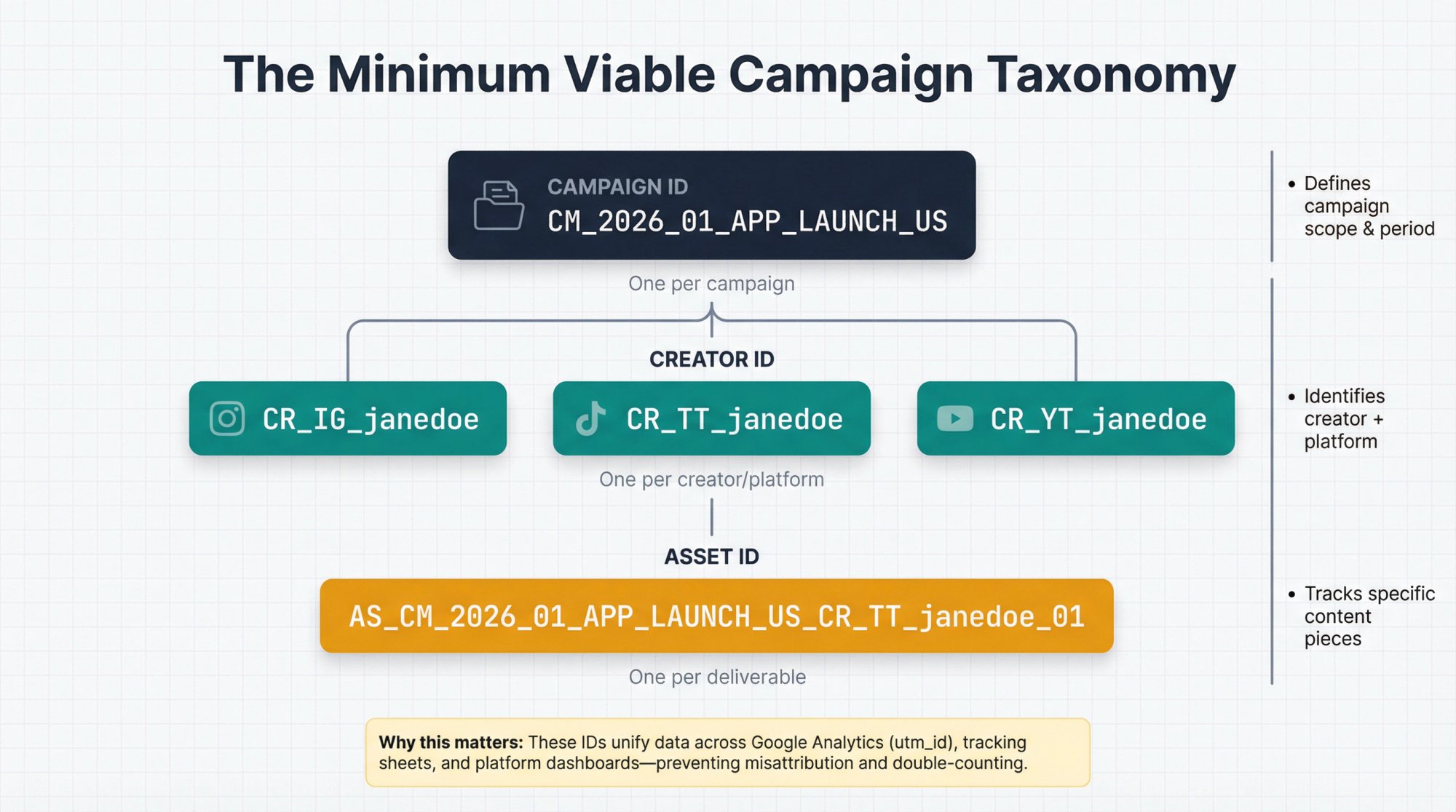
The Minimum Viable Campaign Taxonomy
You need three IDs:
1. Campaign ID (one per campaign)
Example: CM_2026_01_APP_LAUNCH_US
2. Creator ID (one per creator/channel identity)
Example: CR_IG_janedoe, CR_TT_janedoe, CR_YT_janedoe
3. Asset ID (one per deliverable concept, even if posted multiple times)
Example: AS_CM_2026_01_APP_LAUNCH_US_CR_TT_janedoe_01
Yes, this looks enterprise-y and a bit excessive. That's the point. It scales.
When you have 10 campaigns running simultaneously with 50 creators each, you need this level of structure. Without it, you're constantly asking "Wait, which campaign was this post part of?" and answering with guesses instead of data.
Why Campaign IDs Matter for Google Analytics
Google Analytics explicitly supports campaign parameters like utm_source, utm_medium, utm_campaign, and utm_id (Campaign ID). These values flow into your Traffic acquisition report and can be joined to imported campaign data.
In other words: your Campaign ID isn't busywork. It's how you unify data across platforms, campaigns, and time periods.
How To Build Tracking Packs for Every Creator
When multiple campaigns run at once, you can't rely on "link in bio" and vibes. Every creator needs a complete tracking package before they post anything.
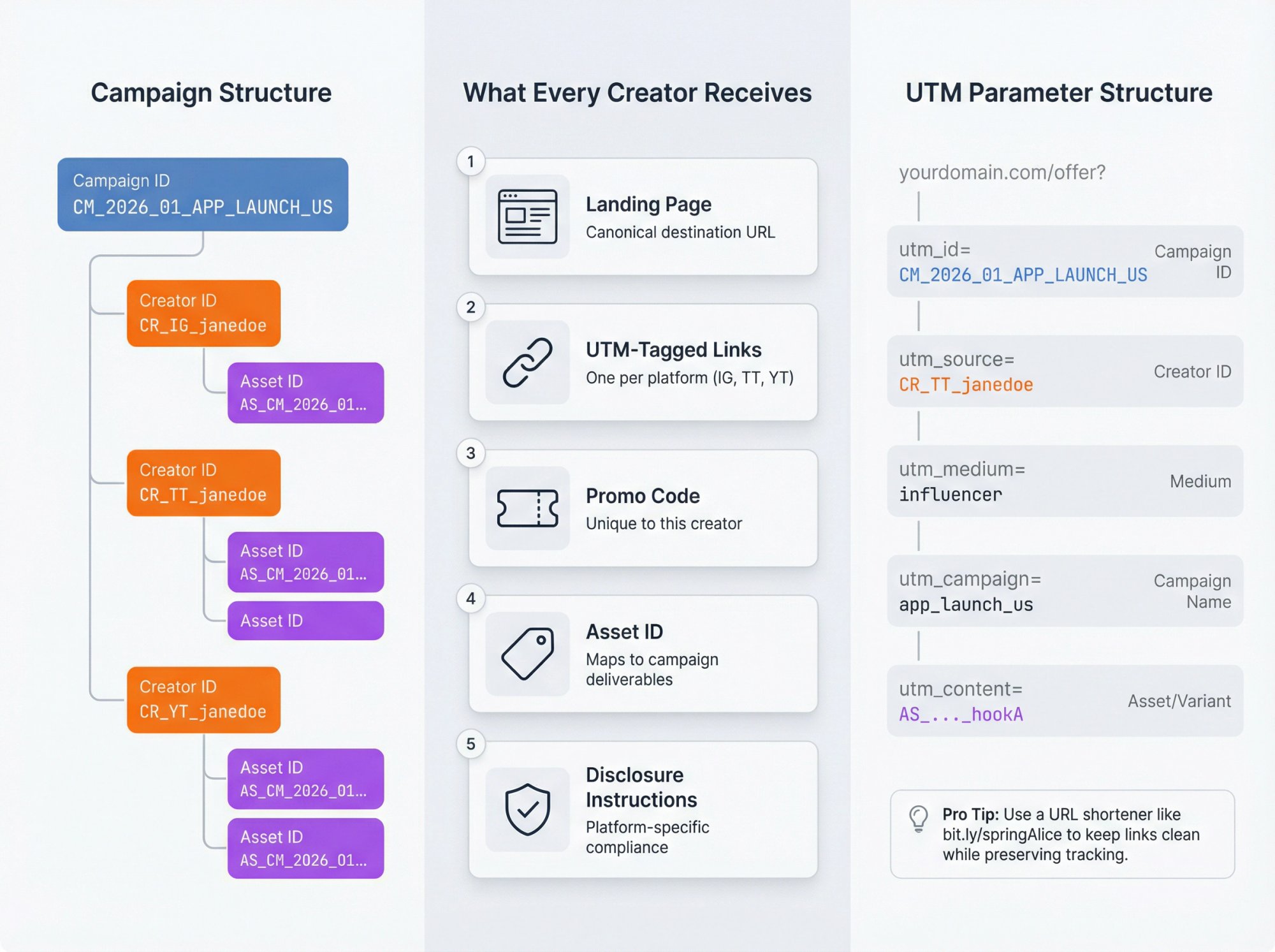
What To Include in Every Tracking Pack
Each creator should receive:
1. One canonical landing page or deep link
Where you want their audience to go
2. One UTM-tagged link per platform
So you can distinguish Instagram traffic from TikTok traffic from the same creator
3. One promo code (if applicable)
Unique to this creator so you can track redemptions
4. One Asset ID
So posts map back to deliverables and campaigns
5. Disclosure instructions
Platform-specific compliance requirements (more on this later)
UTM Structure for Multi-Campaign Tracking
Use this format consistently:
| Parameter | Value | Example |
|---|---|---|
utm_id |
Campaign ID | CM_2026_01_APP_LAUNCH_US |
utm_source |
Creator handle or ID | CR_TT_janedoe |
utm_medium |
influencer (or paid_influencer) | influencer |
utm_campaign |
Campaign name (human-readable) | app_launch_us |
utm_content |
Asset ID or creative variant | AS_…_hookA |
Example link:
https://yourdomain.com/offer?
utm_id=CM_2026_01_APP_LAUNCH_US
&utm_source=CR_TT_janedoe
&utm_medium=influencer
&utm_campaign=app_launch_us
&utm_content=AS_CM_2026_01_APP_LAUNCH_US_CR_TT_janedoe_01_hookA
The Two-Link Rule for Multi-Campaign Success
Each creator gets:
1. One link per campaign (at minimum)
So you can distinguish which campaign drove traffic
2. One link per creative test (if you're testing hooks/angles)
So you can separate creator performance from creative performance
If you don't do this, you can't tell the difference between:
→ A great creator with weak creative
→ A weak creator with strong creative
→ A campaign that resonates vs audience randomness
Pro tip: Use a URL shortener or link management tool to make UTM links more user-friendly. Generate something like bit.ly/springAlice that redirects to the full UTM URL. This keeps things clean while preserving your tracking parameters.
How To Track ROI Not Just Views
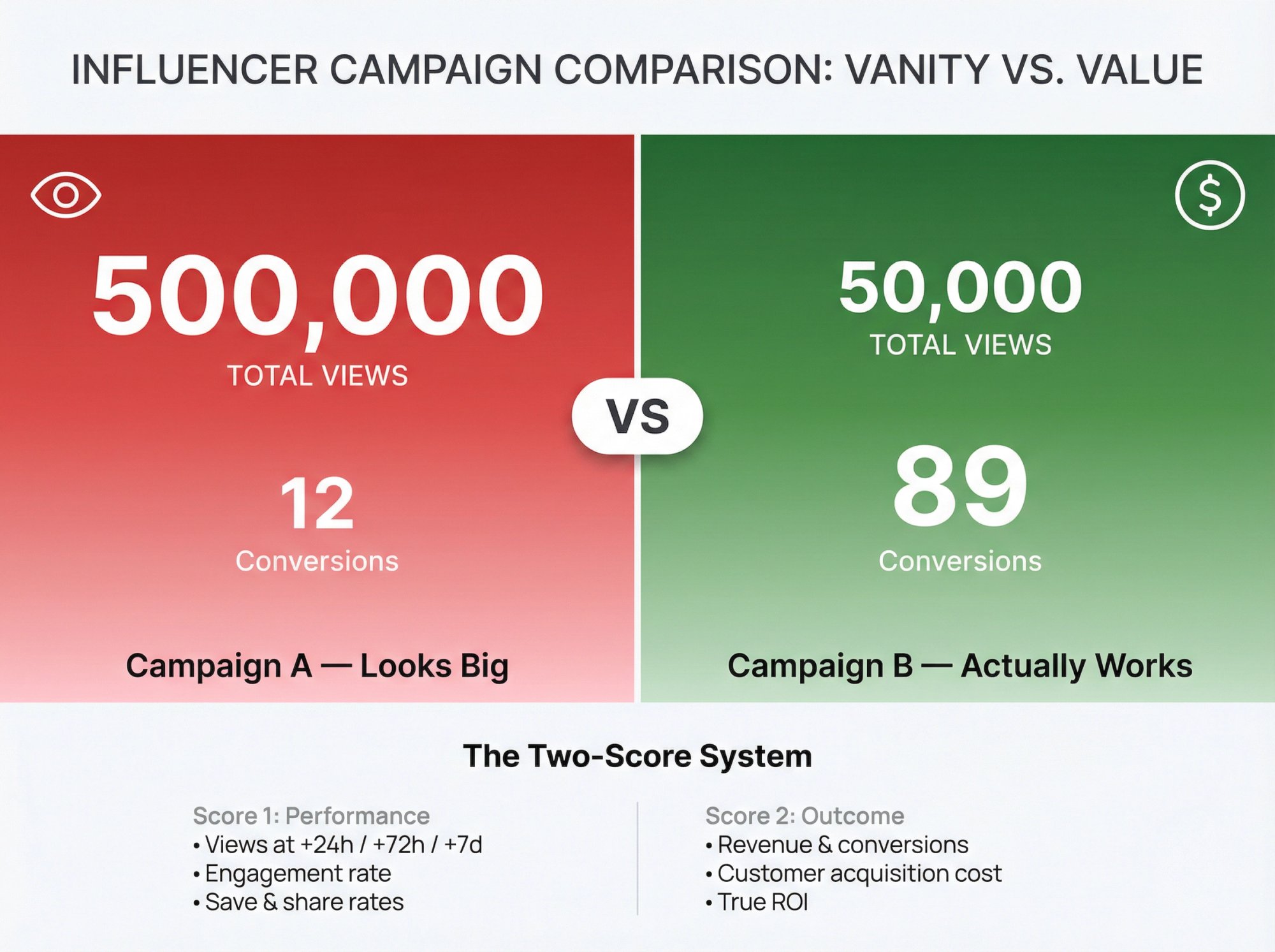
The problem with most multi-campaign tracking? Teams measure the wrong things.
Campaign A generates 500,000 views but 12 conversions. Campaign B generates 50,000 views but 89 conversions. Stakeholders pick Campaign A because it "looks big" in the report. You just optimized for the wrong goal.
The Two-Score System for Campaign Performance
Score 1: Performance score (platform-native metrics)
• Views at +24h / +72h / +7d
• Engagement rate (likes + comments + shares / reach)
• Save and share rates (often closer to intent than likes)
Score 2: Outcome score (your business metrics)
Pick based on campaign type:
| Campaign Goal | Metrics to Track |
|---|---|
| Ecommerce | Revenue, AOV, coupon redemptions, MER |
| Apps | Installs, activated users, D7 retention, CAC |
| B2B | Leads, qualified leads, pipeline influenced, demos booked |
Add Post-Purchase Surveys for True Attribution
Attribution breaks down (especially on iOS, cross-device, and dark social). A simple post-purchase survey asking "How did you hear about us?" can capture creator influence that click-based tracking misses.
This isn't theoretical. Many analytics vendors and influencer measurement guides now recommend post-purchase surveys as part of the measurement stack because platform tracking misses a significant portion of influenced conversions.
When You Need Incrementality Testing
If you're running multiple overlapping campaigns, attribution can over-credit creators who were merely present. Incrementality testing (holdouts, geo splits, or audience splits) helps isolate lift beyond baseline.
This is especially important when campaigns overlap with paid media, email, or PR. Without incrementality, you might think your influencer campaigns drove 1,000 conversions when they only drove 200 incremental conversions (the other 800 would have happened anyway).
How To Build Multi-Campaign Dashboards
A dashboard that only works for one campaign isn't a dashboard. It's a report.
You need three views:
Dashboard 1: Portfolio Dashboard (Executive View)
Purpose: "What's working across all campaigns right now?"
Filters:
→ Date range (last 7/14/30 days)
→ Campaign ID
→ Platform (TikTok, Instagram, YouTube)
→ Creator tier (nano, micro, macro)
→ Campaign objective (awareness, conversion, UGC)
Key tiles:
→ Spend to date vs budget by campaign
→ Posts delivered vs planned
→ Top 10 assets by velocity (+24h, +72h)
→ Top 10 creators by outcome (revenue/leads/installs)
→ "At risk" list (late posts, missing disclosures, broken links)
This view lets leadership see everything at once without drilling into individual campaigns.
Dashboard 2: Campaign Dashboard (Operator View)
Purpose: "How do I optimize this specific campaign today?"
Sections:
→ Creator roster with status (briefed, filming, posted, needs fix)
→ Asset performance table (with 24h/72h/7d columns)
→ Outcome table (clicks, conversion rate, revenue)
→ Notes and decisions log (what we changed and why)
This is where campaign managers live during active campaigns.
Dashboard 3: Creator Scorecards (Relationship View)
Purpose: "Should we rebook this creator, and under what terms?"
Scorecard fields:
→ Median views vs their baseline
→ Consistency (variance across posts)
→ CTA compliance (did they follow instructions?)
→ Outcome efficiency (cost per acquisition / revenue per dollar)
→ Responsiveness and professionalism (qualitative)
Creator scorecards let you build a ranked list of who to work with again and who to skip. For agencies managing multiple creators, this becomes essential.
How To Automate Campaign Monitoring and Alerts
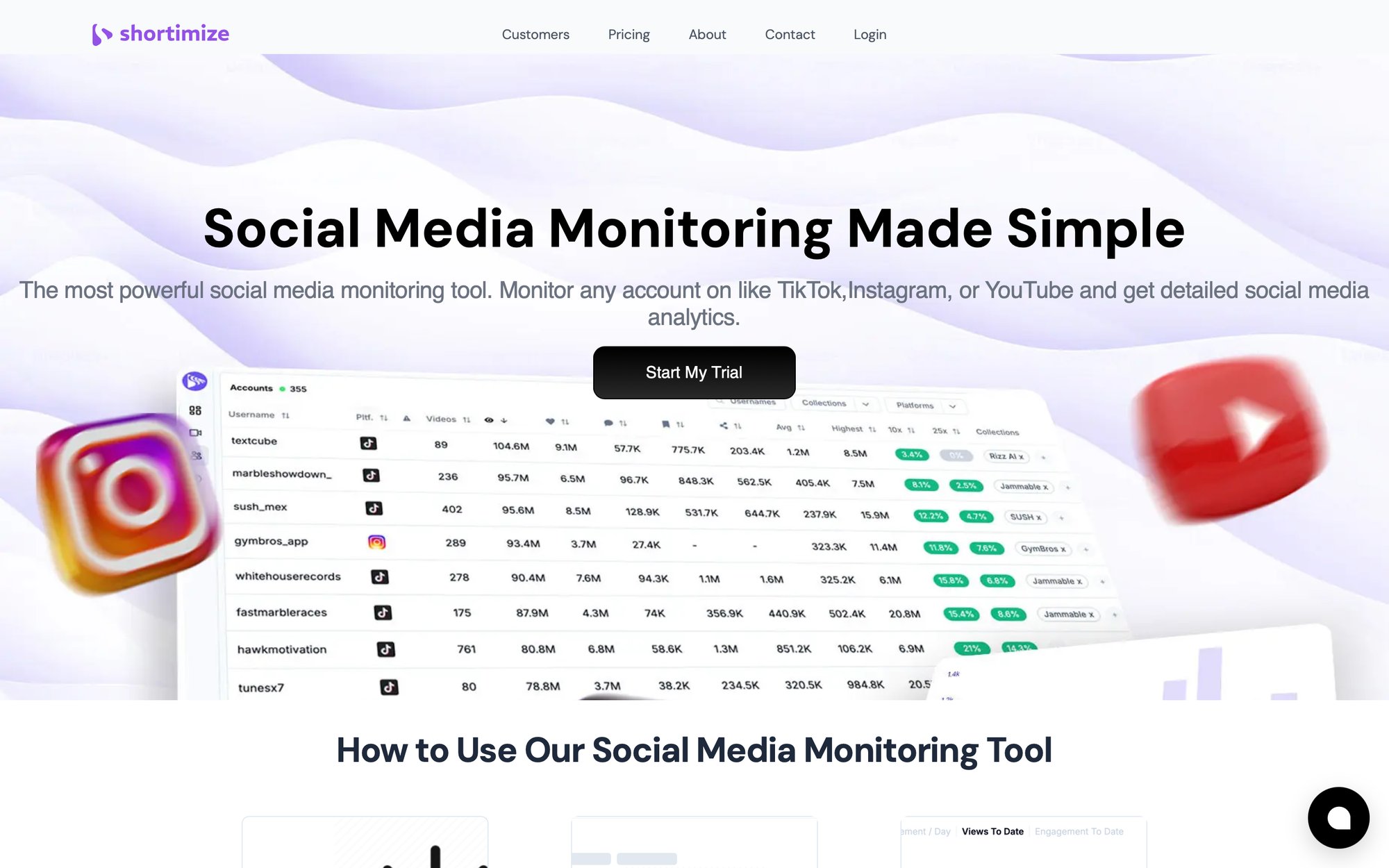
Manual checking doesn't scale past 10 creators. You need alerts powered by social media monitoring.
A simple alerting system flags:
When a post goes live
So you can log it immediately and check for compliance
When a post is missing disclosure or has the wrong tag
So you can fix it before platforms restrict it
When a post is going viral
So you can amplify it with paid spend or cross-promote
When a link is broken or redirects incorrectly
So you don't lose conversions
When a creator misses a deadline
So you can follow up before it's too late
What To Automate First
Start with the most painful:
① New post detection (saves hours of manual checking)
② Viral spike alerts (capture momentum while it's happening)
③ Deadline reminders (keep campaigns on schedule)
④ Weekly rollups (automated reporting to stakeholders)
Learn how to implement automated alerts for your campaigns. Shortimize handles this automatically. Connect your campaigns, set up notification rules, and get alerted via Slack or Discord when posts spike, creators publish, or performance thresholds are hit. You stop refreshing TikTok every 30 minutes and start responding to actual events.
FTC and Platform Compliance Requirements (2026)
When you're running multiple campaigns, the fastest way to kill results is compliance sloppiness. One missing disclosure tag can get content restricted or removed, tanking your entire campaign performance.
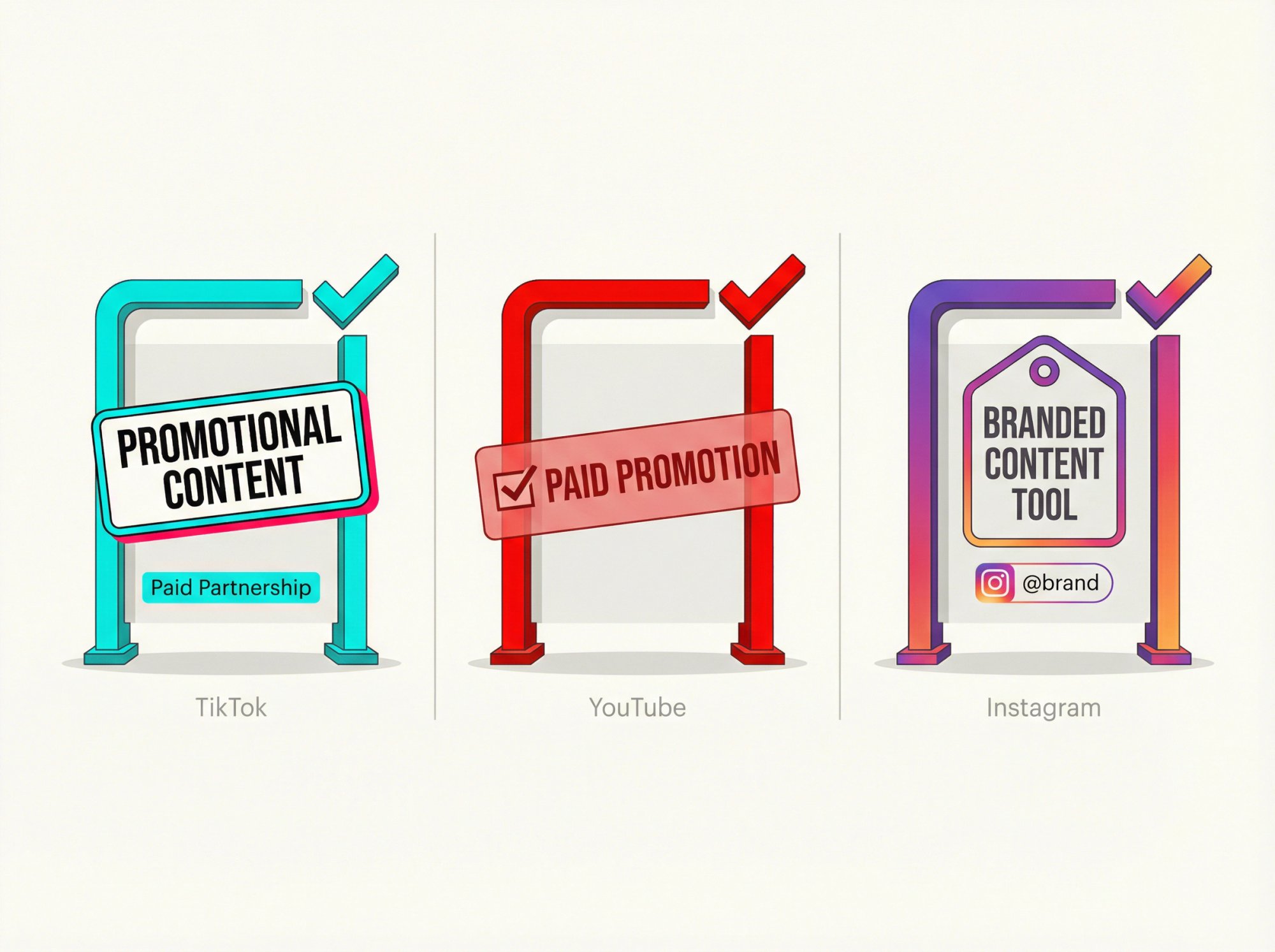
FTC Disclosure Requirements: What You Must Know
The FTC's updated Endorsement Guides (revised in 2023) emphasize disclosure of material connections and clarify responsibilities for advertisers, endorsers, and intermediaries. The FTC also publishes practical guidance for social media influencers.
Important: This isn't legal advice. But operationally, you should build disclosure checks into your workflow like you build link checks. Make it a checklist item, not an afterthought.
TikTok Disclosure: How To Use Content Disclosure Setting
TikTok's Help Center states that when posting content promoting a brand, product, or service, you must turn on the content disclosure setting. Failing to disclose properly may result in content being removed or restricted.
Key points about TikTok disclosure:
• The post will be labeled "Promotional content" (your own) or "Paid partnership" (third-party)
• Turning on disclosure won't affect distribution in feeds (TikTok confirmed this)
• Once published, the label can't be changed (you'd need to remove and repost)
When you're tracking 20 campaigns and 200 posts, a single takedown wave can distort your performance data completely. Make disclosure a mandatory checklist item. Analyzing TikTok accounts helps ensure compliance tracking.
YouTube Paid Promotion Declaration Requirements
YouTube's Help Center states that if a video includes paid product placements, sponsorships, or endorsements, creators have to notify YouTube by selecting the paid promotion box in video details. YouTube may display a disclosure message to viewers.
Instagram Branded Content Tool Requirements
Meta's advertising standards for branded content indicate that ads promoting branded content must tag the third-party product, brand, or business partner using the branded content tool.
Since Meta documentation can vary by region and login state, treat this as a baseline: make disclosure a checklist item and validate the current workflow inside the platform before campaigns launch.
The Operating Cadence for Multi-Campaign Success
Tracking isn't a report. It's a rhythm.
Daily (15-30 minutes)
• Confirm which posts went live (log URLs into your content ledger)
• Check for broken links or wrong landing pages
• Flag viral candidates for amplification
• Verify disclosures are present (especially on TikTok and YouTube)
Twice Weekly (30-60 minutes)
• Review top assets by velocity (+24h / +72h)
• Identify underperformers early (request a second cut if contracted)
• Rotate learnings into briefs ("hooks that worked this week")
Weekly (stakeholder-ready)
• Portfolio dashboard review (what changed this week)
• Budget reallocation decisions (rebook creators, boost winners)
• Campaign narratives: "we learned X, therefore we're doing Y next week"
Monthly
• Creator scorecards (rank and rate all active creators)
• Cohort analysis (which creator types drive high LTV, not just cheap conversions)
• Content library tagging (turn influencer output into reusable creative intelligence)
This cadence means you're always in control. You're not scrambling at the end of campaigns trying to figure out what happened. You know what's happening while it's happening. If performance drops unexpectedly, you can diagnose and fix issues immediately.
How Shortimize Simplifies Multi-Campaign Tracking
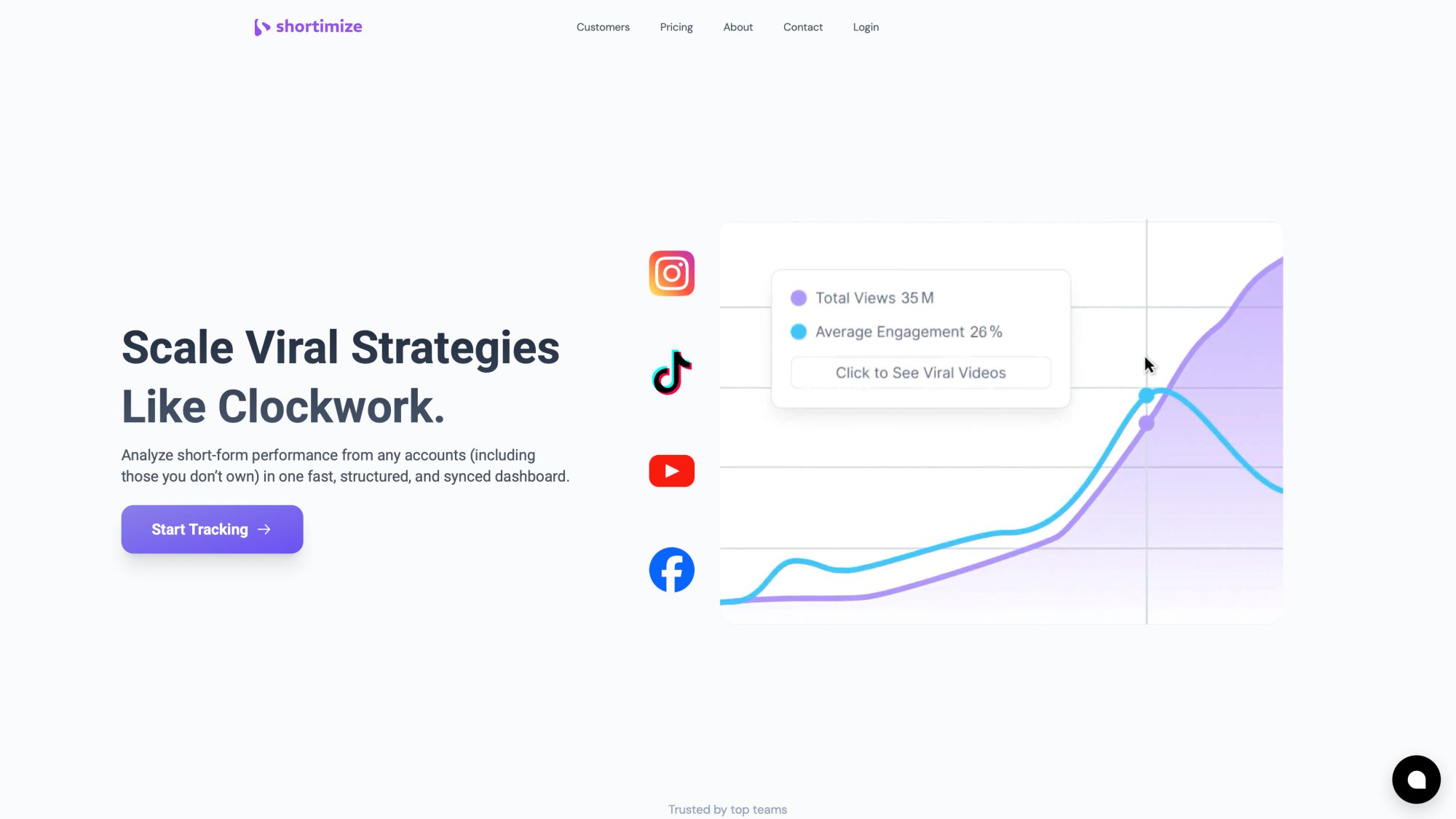
When you're running multiple influencer campaigns simultaneously, the bottleneck isn't usually project management or analytics. It's the messy middle: cross-platform content performance tracking.
This is where Shortimize lives.
Use Shortimize for Cross-Platform Performance Tracking
Instead of hopping between TikTok Analytics, Instagram Insights, and YouTube Studio, track performance across all three platforms in one place. Shortimize ingests public data for TikTok, Instagram Reels, and YouTube Shorts so you can see how every influencer's content performs without switching tools.
Track any account with just a link. Paste a TikTok, Instagram, or YouTube URL and Shortimize continuously collects performance data. No API setup, no begging influencers for access, no screenshots.
Organize by campaigns. Use Collections to group influencers by campaign, creator tier, or platform. When you're managing 5 campaigns with 10 creators each, Collections let you slice performance exactly how you need it.
Turn Tracking Into Automated Monitoring
Shortimize connects to your workflow tools via integrations:
• Slack and Discord notifications when videos spike or hit performance thresholds
• Data sync to Amplitude, Mixpanel, and PostHog so influencer performance lives alongside your product analytics
• API and webhooks (available as an add-on) for custom automation
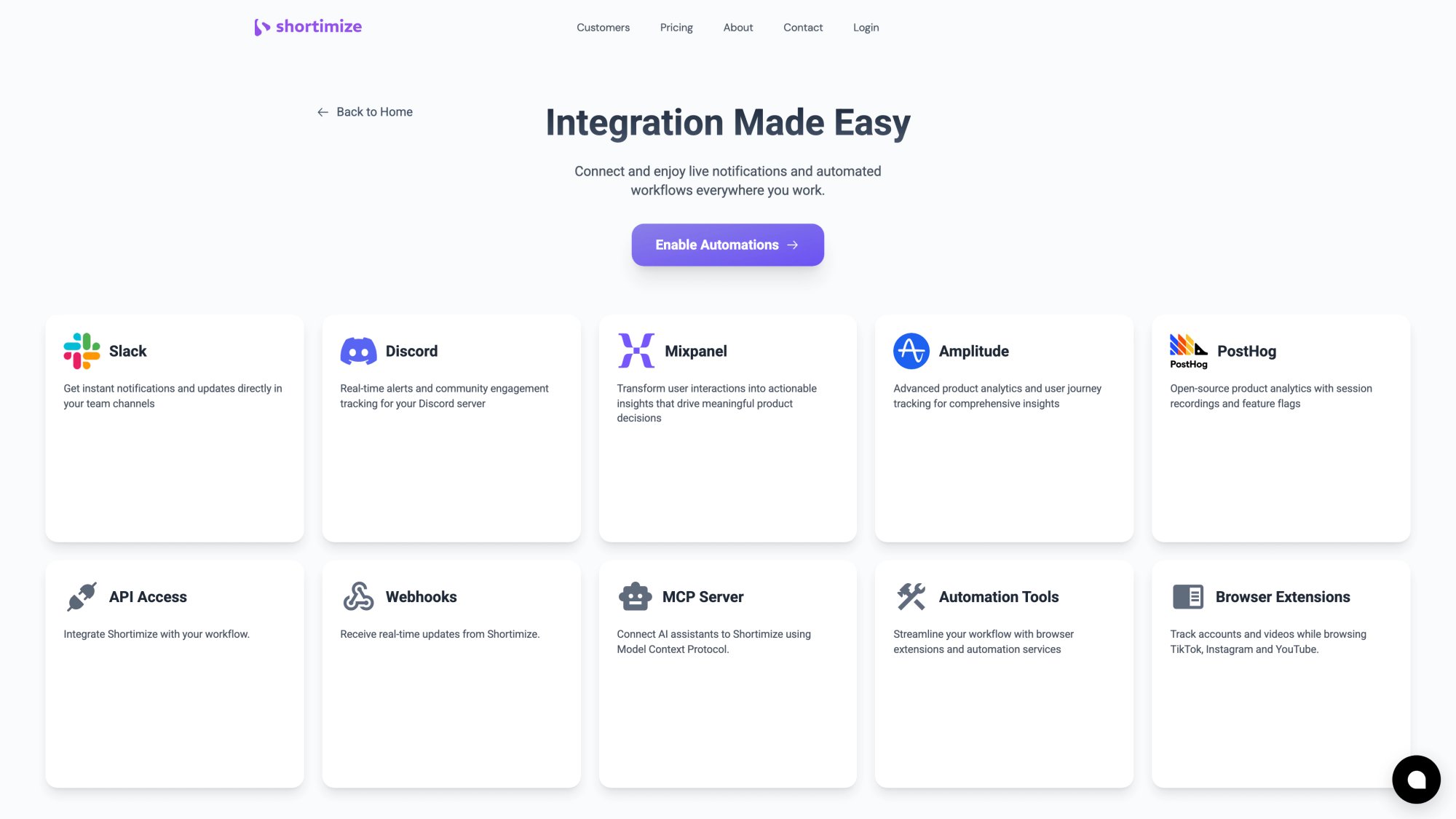
This means you stop manually checking platforms and start responding to events. A creator's post goes viral at 2pm? You get a Slack notification and can decide whether to amplify it with paid spend while momentum is hot.
Why This Matters for Multiple Campaigns
Campaign tracking usually breaks at the exact moment you need speed:
→ A post goes viral and you miss the window to amplify
→ A creator underperforms and you discover it after the reporting week
→ You can't compare assets across platforms in a clean way
Shortimize reduces time-to-insight so your operations system can actually drive decisions, not just document history. See what our customers say about managing multiple campaigns at scale.
Your stack looks like this:
| Layer | What it does | Tools |
|---|---|---|
| Layer A: Campaign Ops | Timelines, deliverables, payments | Asana, Notion, Airtable |
| Layer B: Content Ledger | Record of every post | Spreadsheet or database |
| Layer C: Performance | Cross-platform content metrics | Shortimize |
| Layer D: Business Outcomes | Clicks, conversions, revenue | Google Analytics, your CRM |
You don't need one tool to do everything. You need the right tool for each layer, connected by consistent IDs.
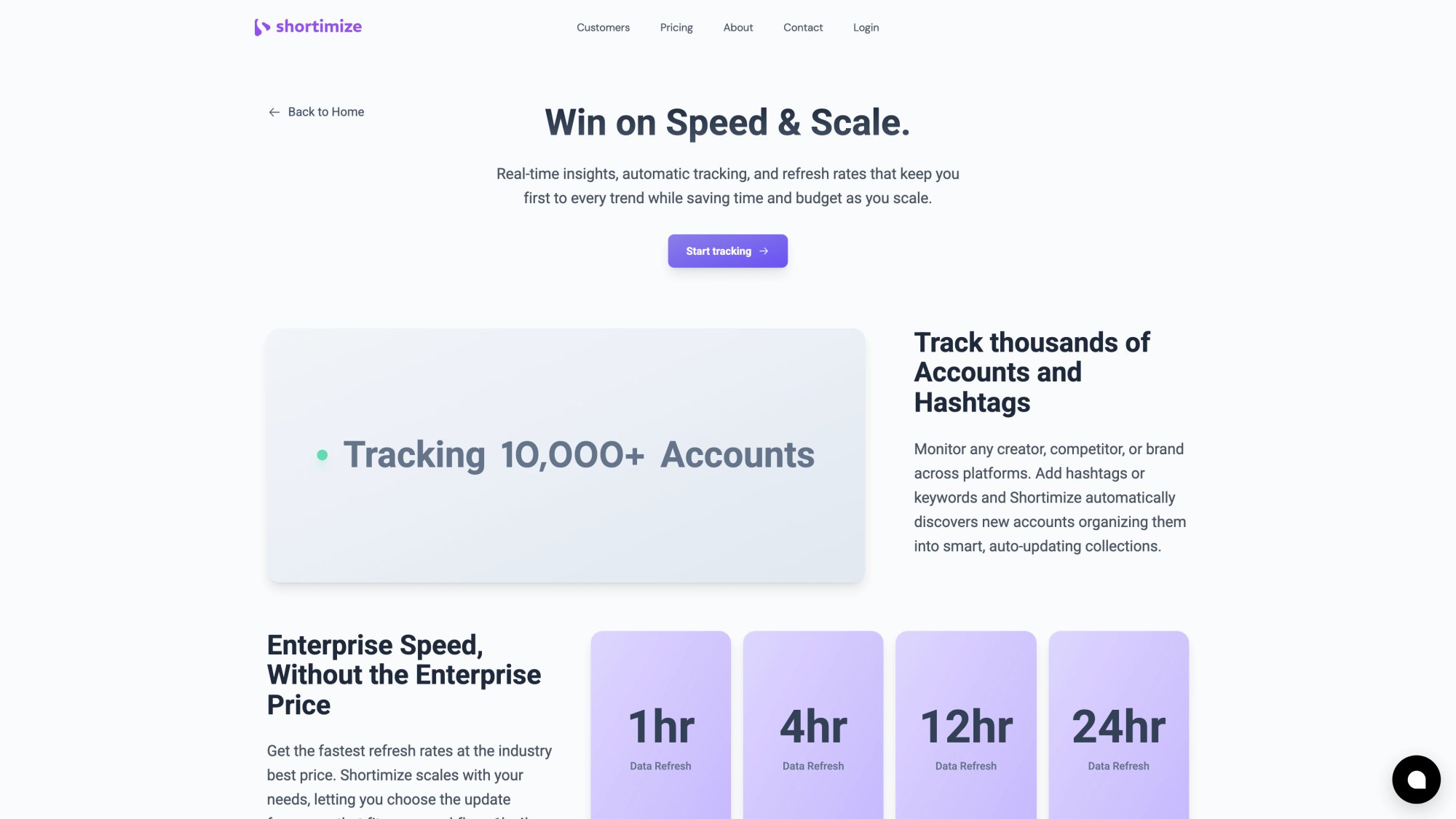
Explore all features to see how Shortimize fits your workflow.
How To Turn Campaign Data Into Continuous Improvement
If you're running many campaigns, your competitive advantage isn't "posting more." It's learning faster.
A high-quality post-campaign report should answer:
1. Which creator segments worked?
Tier, niche, audience geography, platform
2. Which content patterns worked?
Hook style, format, length, CTA type
3. Which campaigns scaled profitably?
Cost per engagement, cost per acquisition, MER thresholds
4. Which assets should become paid ads?
Allowlisting and whitelisting opportunities
5. What should we repeat next month, and what do we stop?
Clear go/no-go decisions backed by data
Store the findings in a searchable system so your next campaign starts with leverage, not guesswork. Post-campaign optimization turns insights into action.
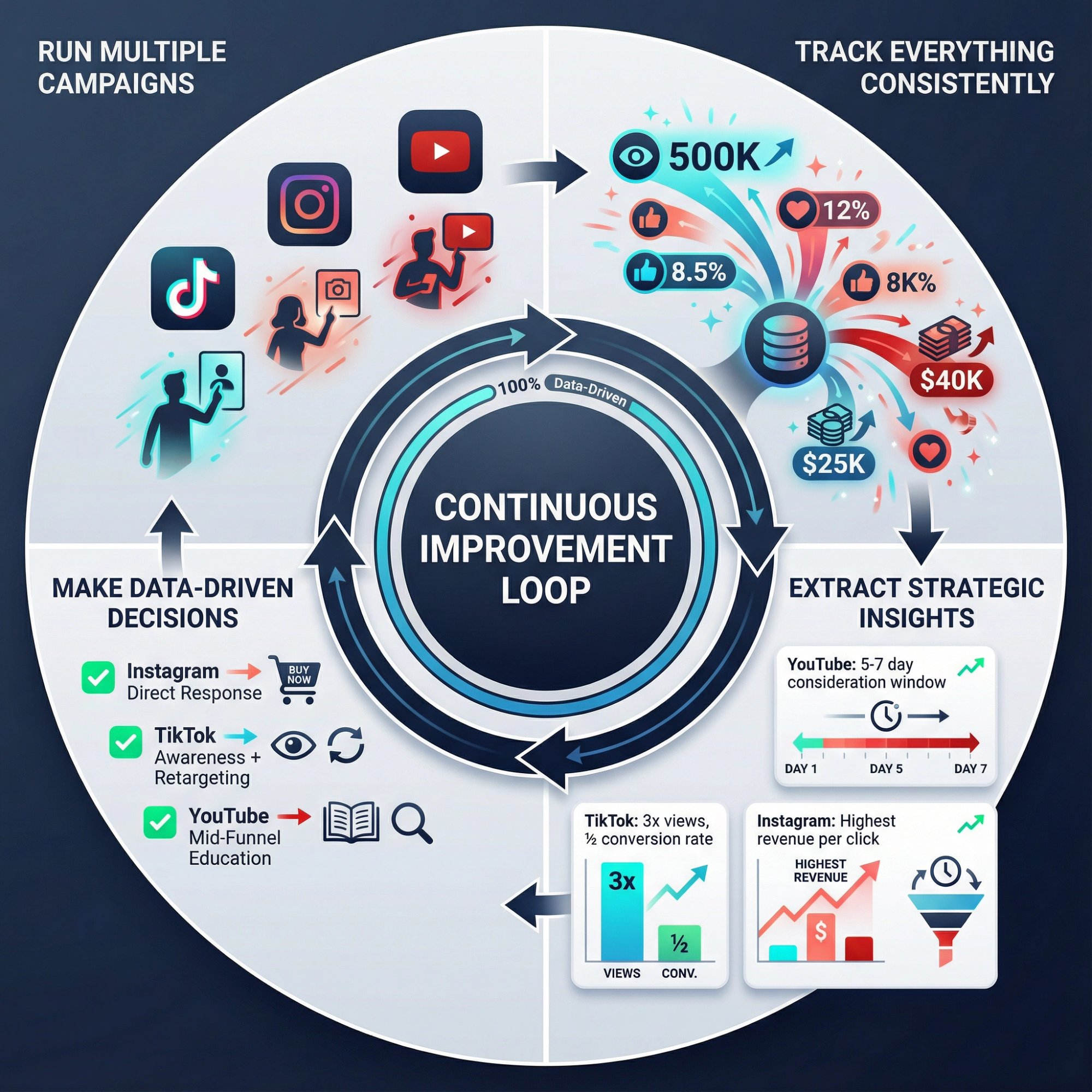
The Continuous Improvement Loop
Running multiple campaigns simultaneously gives you more data points faster. Use them.
Example: You run three campaigns in January. Campaign A targets Gen Z on TikTok, Campaign B targets millennials on Instagram, Campaign C targets both on YouTube. By February, you know:
→ TikTok drove 3x more video views but half the conversion rate
→ Instagram had the highest revenue per click
→ YouTube had the longest consideration window (conversions came 5-7 days after viewing)
This informs your February strategy: double down on Instagram for direct response, use TikTok for awareness and retargeting, use YouTube for mid-funnel education.
But only if you tracked everything consistently.
For e-commerce campaigns specifically, learn how to track TikTok Shop affiliate performance across multiple creators to optimize your influencer program.
Copy-Paste Templates for Multi-Campaign Tracking
Multi-Campaign Content Ledger (Minimum Columns)
Identity:
→ Campaign_ID
→ Campaign_Name
→ Creator_ID
→ Platform
→ Asset_ID
→ Post_URL
→ Post_DateTime (UTC)
Compliance:
→ Disclosure_Status (OK / Fix needed)
→ Music_OK (OK / At risk)
→ Usage_Rights_Expiry (date)
CTA:
→ Landing_URL (canonical)
→ UTM_ID
→ UTM_Source
→ UTM_Medium
→ UTM_Campaign
→ UTM_Content
→ Promo_Code (if used)
Performance snapshots:
→ Views_24h / Views_72h / Views_7d
→ Likes_7d / Comments_7d / Shares_7d / Saves_7d
→ ER_7d (your formula)
Outcomes:
→ Clicks
→ Conversions
→ Revenue (or Activated Users / Leads)
Creator Tracking Pack Message (Copy/Paste)
Subject: Your tracking pack + posting checklist

Campaign: {Campaign_Name}
Post date window: {Date Range}
Deliverable(s): {1 Reel + 1 Story, etc.}

Your links:
• Primary link: {UTM-tagged link}
• Backup link: {short link}
• Promo code: {CODE}

Required disclosure: {platform instructions}
CTA copy: {exact CTA}
Things to avoid: {competitor mentions, claims you can't make}

Questions? Reply to this email.
Conclusion: Making Multi-Campaign Tracking Actually Work
Running multiple influencer campaigns at once doesn't have to feel like juggling with your eyes closed.
Start by grounding each campaign with clear goals and unique tracking IDs. Build your tracking in four layers (ops, content, performance, outcomes) instead of trying to cram everything into one spreadsheet. Use the best influencer marketing tools purpose-built for each layer instead of forcing one tool to do everything poorly.
Shortimize handles the cross-platform performance layer so you're not copying metrics from TikTok, Instagram, and YouTube manually. Your UTM parameters and analytics tools handle business outcomes. Your project management system handles operations.
Most importantly: close the loop by measuring results and learning from them.
Influencer marketing isn't set-and-forget. It's an iterative game. By knowing exactly how each campaign performs, you can reallocate budget, refine your creator roster, and double down on the content strategies that actually work.
The payoff for all this rigor? Campaigns that consistently hit targets and marketing spend that earns its keep.
In a world where brands average about $5.78 in earned media for every $1 spent on influencers, tracking is what ensures you're on the right side of that average (or surpassing it). With the right tracking system, running ten influencer campaigns at once can feel as controlled as running just one.
And you'll finally be able to answer the question stakeholders keep asking: "What's working?"
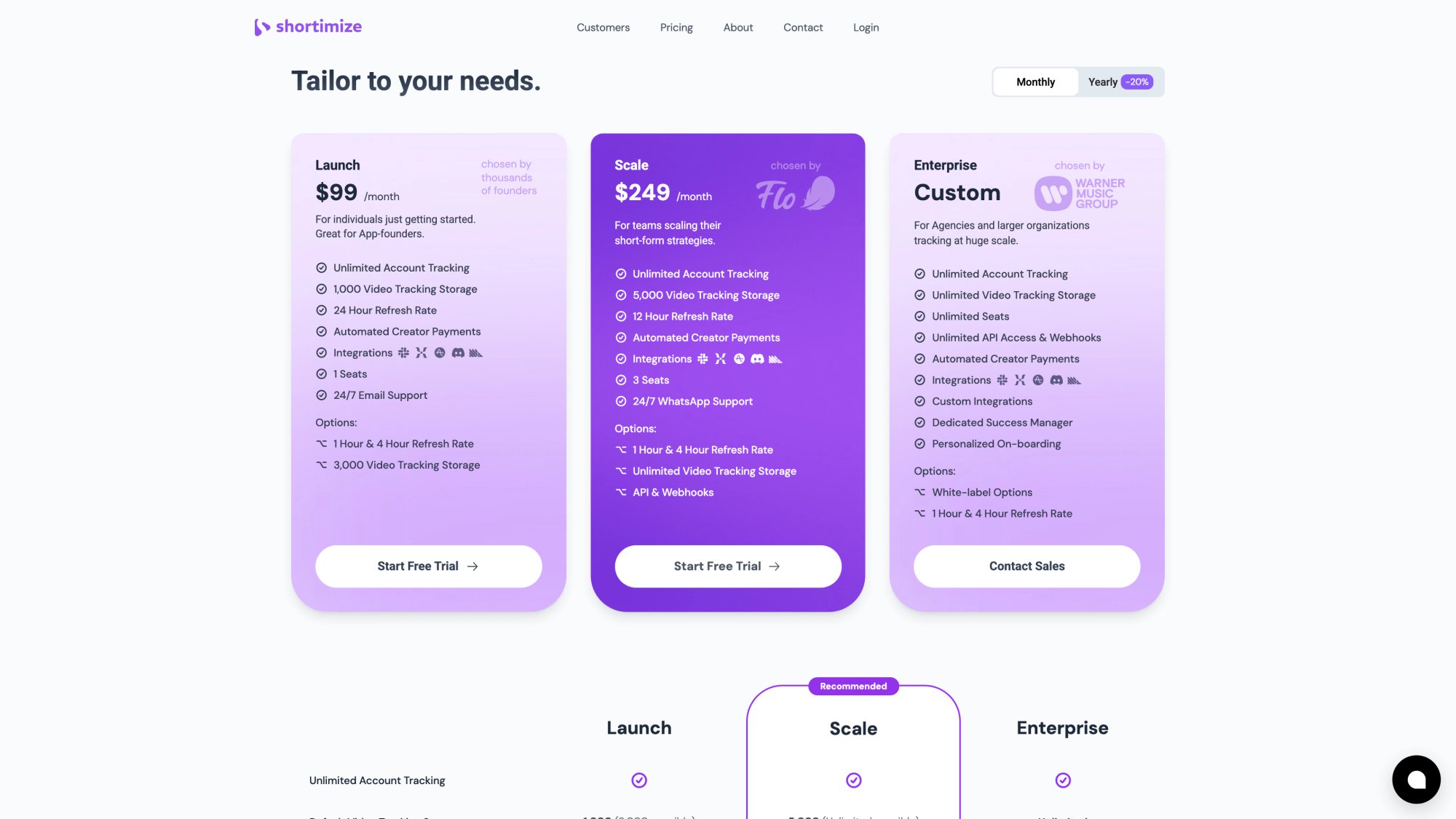
Check out Shortimize pricing to see how our platform can transform your multi-campaign tracking workflow. Still have questions? Visit our FAQ or contact us to learn more.
Leave a Reply